Copier noise, grinding and squealing: describe it like a musician
When you ring, try to say what the sound is like and when it happens. A high squeal at the start of every job. A low grind that begins after the machine has been running for twenty minutes. A tick on every revolution. A thump when the tray closes. A loud fan that never settles. We can narrow it down from words alone more often than people expect.
Try to find out where it comes from too. Stand beside the machine and listen to the left, the right, the top. Sound behaves oddly inside a cabinet, but the general area is useful.

The usual voices
| The sound | What it tends to be | Safe to keep running? |
|---|---|---|
| High squeal at start up or when paper moves | A dry roller or bearing, a drive belt slipping | For a short time, then ring |
| Grinding that follows the paper | A gear with a damaged tooth, a roller bearing | No. Stop and ring |
| Rhythmic knock or tick | Something loose rotating, a cracked gear, a stray piece of paper or a staple | Switch off, ring |
| Loud whirring that never stops | A fan struggling with dust, or a failing fan bearing | For a day or two, then ring |
| Clunk when a tray closes | Tray lift mechanism or a latch | Yes, but mention it |
| Rattle in the finisher | Staple cartridge loose, a stray staple, a paddle | Check the cartridge, then ring |
| Buzzing or humming from the back | A power supply or a solenoid | Ring promptly |
Squeals
A squeal is usually friction that is not meant to be there. Rollers carry bearings and bushings, and when the grease dries or a bushing wears, the roller squeaks. The noise tends to be worse first thing in the morning on a machine that has sat cold overnight, then fades as it warms.
Do not reach for a can of general purpose lubricant. Oil on a copier ends up in the wrong place: on a roller that needs grip, on a sensor, or on paper. A technician uses the right grease in small amounts at the right points.
Grinding
Grinding is the sound that makes a technician reach for the van. It means two hard parts meeting where they should not, and the cost of leaving it grows by the day. A gear that has lost a tooth will keep turning for a while, grinding as it goes, then strip the next gear along. A bearing that has gone will heat up, seize and take the shaft with it.
If you hear grinding that tracks the paper, switch the machine off at its power key and ring us. Do not run it for another few pages to see. Those few pages cost more than the call.
Thumps, knocks and ticks
A knock that repeats on every revolution of a roller is something loose or something damaged on a rotating part. A cracked gear, a piece of torn paper wrapped on a roller, a staple that dropped into the path. Hospitality and office copiers see staples more than anyone, because staple trays and finishers get a lot of use and a staple that jumps its strip will find its way somewhere.
A thump when a drawer closes can be as simple as a drawer that is not seated, or as annoying as a lift plate that has lost its tension. A tick as the machine warms is often just metal expanding. If it fades, relax.
Fans, dust and salt air
A fan that has been running in dust and salt for years gets noisy, and a noisy fan is often a warning that the machine is running warm. Offices near the beach at Burleigh, Broadbeach and Surfers Paradise, and workshops out at Molendinar, Arundel and Yatala, see this more than most. Dust packs the vents, the fan works harder, the bearing wears and the whine goes up in pitch.
The vents on the outside can be cleared with a soft brush while the machine is off. Do not vacuum inside. Static from a vacuum can hurt a board, and a fan blade bent by a nozzle is another problem.
Noises that come with a smell or a mark
Sound alone is one clue. Add a smell and it is another. A hot, acrid smell with a squeal can be a belt or bearing overheating, and a burning plastic smell with a hum is a reason to switch off at the wall, not only at the key. A noise that starts when the page count has just passed a milestone often means a maintenance part is due.
A new noise after the machine was moved is worth a look at the levelling feet and the tray rails. A copier that has been bumped through a doorway can have a shifted tray guide or a loosened panel, and the rattle is only a loose screw.
Things to check yourself
If a grinding sound continues after that, stop and ring.
- Look for anything loose near the paper path: a staple, a paperclip, a torn corner.
- Check every tray and drawer is pushed fully home.
- Check the staple cartridge in the finisher is seated and the cover closed.
- Move any items sitting on the machine, near the vents or against the back.
- Listen on a cold start and again an hour later, and note the difference.
Finishers, staplers and punch units
Finishers make noises of their own, and they are a bigger source of rattles than the machine they sit on. A stapler that clatters but does not staple has lost its cartridge seat. A paddle that slaps the stack harder than usual may have a stiff pivot. A punch unit that growls is full of chads, the little discs it cuts, and needs emptying.
Strata and legal offices that run big bound packs wear finishers faster than anyone, and the tell is a noise a week or two before the failure. Mention it. A quick look before the Friday pack is cheaper than a stuck finisher at four.
The scanner carriage
Under the glass is a carriage that slides back and forth, carried on rails and pulled by a belt or cable. When it moves it should be a soft hum. A ticking, a slap at each end of its run or a squeak as it moves points at a dry rail, a worn belt or a cable that has jumped its pulley. The first sign for the user is usually scans that come out with a fine line or slightly stretched.
This part is delicate. Do not push the carriage by hand. Switch off and tell us what you hear.
Why we ask you to switch it off
A noisy machine that keeps running can damage the parts beside the one that is failing. We tell people to switch off for grinding, banging and burning smells, and not to worry for a gentle tick that fades. When you ring, say which of those it sounds most like. We make the call on the spot and say honestly whether it can run until the visit.
The technician arrives with a likely part in the van. Most noisy parts are rollers, bearings, gears and fans, and the common ones are carried.
Behind the side panel
Light is the enemy of a drum
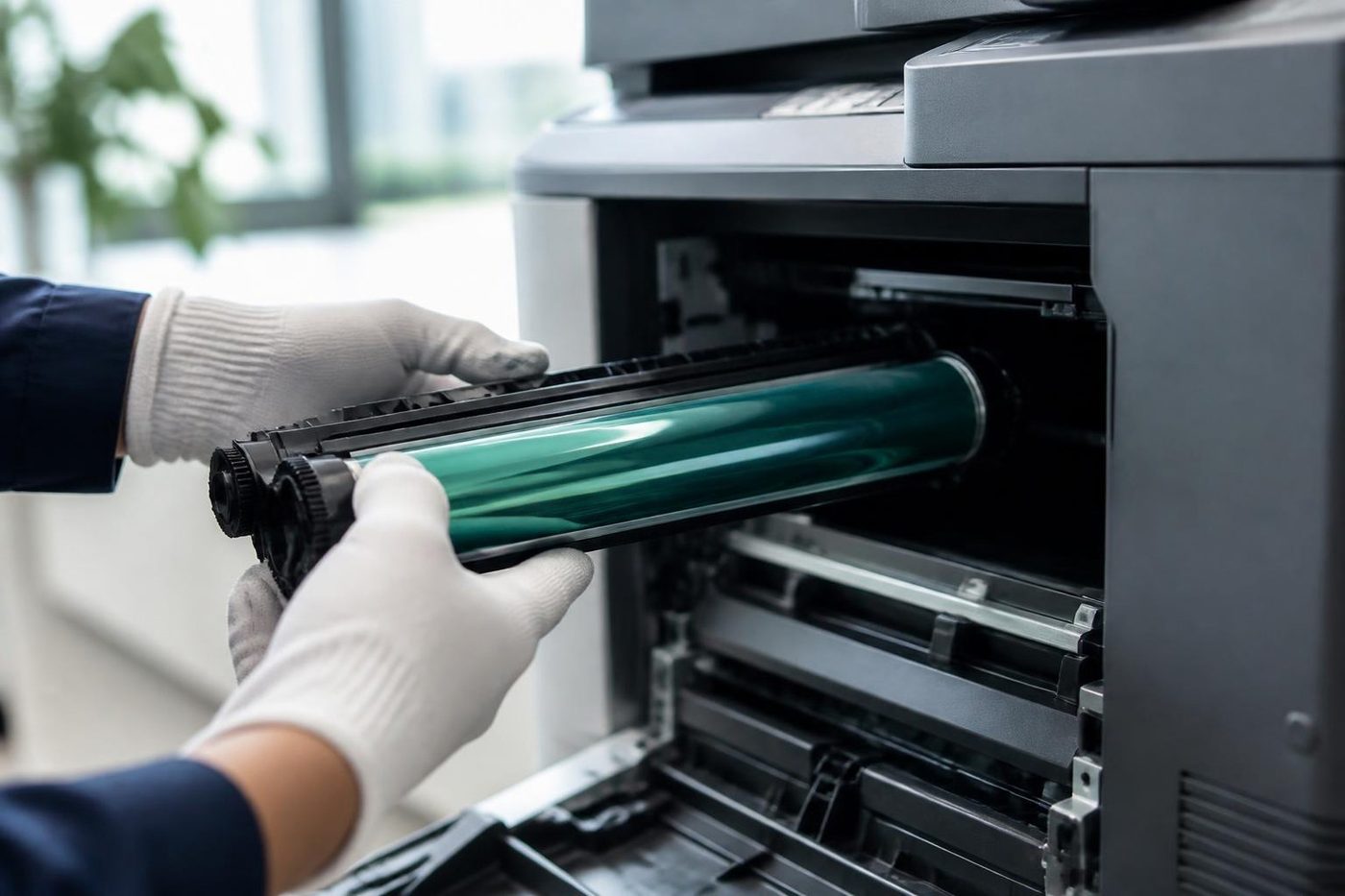
The drum is the part nobody sees and the part that matters most. It is a coated cylinder that reacts to light, so a technician who props the panel open beside a bright window is quietly spoiling it. Gold Coast offices are mostly glass and sunshine, which makes covering the drum a habit worth having.
We send people who wrap it, work quickly and put it back as the maker intended. If a mark repeats down your pages at the same spacing, describe it on the phone. That spacing is a clue.

- Covered at all times. The drum goes in a light proof sleeve the moment it leaves the machine.
- Marks read properly. The distance between repeating marks points to the roller or drum at fault.
- No fingerprints. Gloves on, every time.
Keep reading
 Copier and printer faultsPick the symptom, get the next step.
 Photocopier paper jamsWhy sheets stop, crease or double feed.
 Is my copier worth repairing?Repair or replace, and how we decide.
 Photocopier repairsAny make of office copier, repaired where it stands.
 Commercial printer repairsWorkgroup lasers and fleets, repaired where they sit.
Buy, sell and lease
Buy, sell and lease commercial copiers on the Gold Coast
We also sell new and refurbished commercial copiers and buy used ones. Same team, same technicians.

Around Southport, Burleigh and Robina


Common questions from Gold Coast offices
Why is my copier making a grinding noise?
A worn gear, a failing bearing or a roller drive is the usual cause. Switch it off at the power key and ring us, because running it can damage parts next to the faulty one.
The squeal goes away after a few minutes. Should I worry?
It usually means a dry roller or bushing, worse on a cold start. Mention it and have it looked at before it becomes a grind.
Can I spray oil on the noisy part?
No. Oil spreads to rollers, sensors and paper. A technician uses the right grease in the right places.
Is a loud fan a problem?
It can mean a dusty vent or an ageing bearing. Clear the outside vents with a soft brush while the machine is off, and ring if it persists.
There is a ticking sound that matches the print speed. What is that?
Something loose on a rotating part: a cracked gear, a torn corner or a staple. Switch off and ring.
Do you carry spares for noisy parts?
The common rollers, bearings, gears and fans are carried for the makes we see most, which is why about 98% of repairs are finished on the first visit.
Will the noise come back?
If it does, we fix it again at no charge.
What does it cost?
We talk through a price on the phone before anyone is booked.