Get a price
Epson

Epson service Gold Coast

Epson Printer Repairs and Service Gold Coast: WorkForce, EcoTank and SureColor

A WorkForce Enterprise machine has no fuser, so the fault that fills most of our laser calls never turns up. Others do. A maintenance box that has finally filled, a head that dried out over a long weekend, a feed roller worn smooth, a certificate refused because the panel clock was wrong. Epson printer repairs for Gold Coast offices are done at your premises, and a same day visit is usually possible.

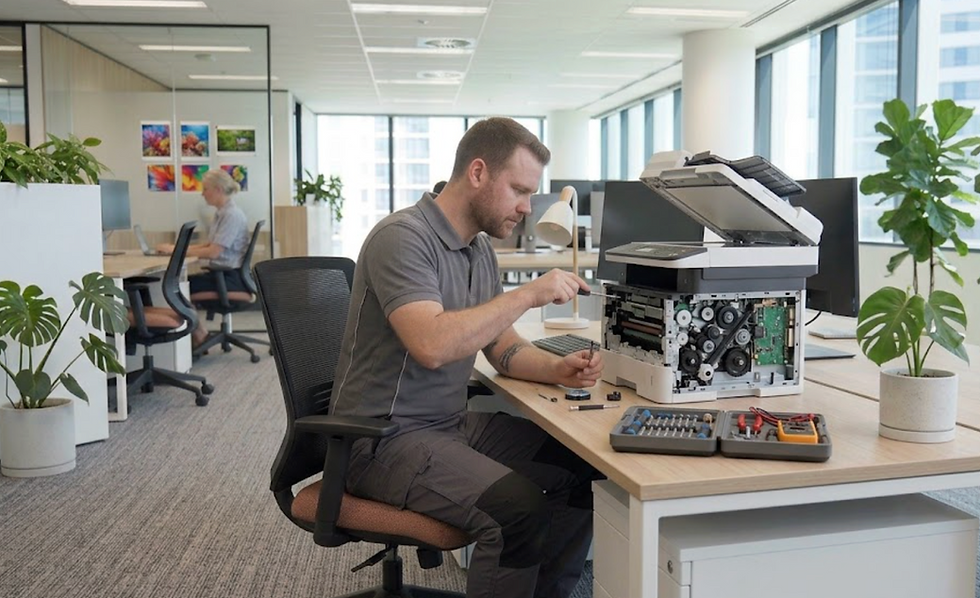
Technician repairing a copier in a site office in Gold Coast

Printer service, copier repairs and machine sales on the Gold Coast

Epson printer repairs Gold Coast offices need, minus the fuser

The WorkForce Enterprise AM range is sold as heat free inkjet: no toner cartridges, no fuser, no drum. That removes a whole shelf of laser faults. Nothing smudges because a roller was cold, nothing streaks because a drum saw daylight, and a jam in a busy corridor is cleared straight away because there is nothing hot to wait for.

Different troubles move in. The ink packs and the waste ink box fill up and empty out. Every cassette has pickup rollers of its own, and those wear. The printhead is a fine part that does not forgive rough handling. Scan and cloud functions fail on network and certificate faults, sometimes over nothing more than a wrong date on the panel, and cassette messages are a family all by themselves.

We are an independent business. We are not Epson and we are not an authorised agent, so a visit from us has no effect on cover you hold with the maker. A machine still under that cover should go to Epson first.

Epson printer serviced and repaired on the Gold Coast
A technician servicing a copier in the corridor of a Gold Coast medical clinic
Quiet work in the clinic
A technician checking a test print beside a floor standing copier on the Gold Coast
Test pages before we leave

A price in three steps

  1. Tell us about the machineThe make, the model and what it keeps doing.
  2. We ring with a priceYou have it before any visit is booked.
  3. A certified technician comes to youSame day when the diary has room.

Epson names, decoded from the current Australian range

Epson Australia sorts its business machines into two families. The heavy end is WorkForce Enterprise: the A3 colour AM-C4000, AM-C5000, AM-C6000, WF-C20750 and WF-C21000, the A3 mono AM-M5500 and WF-M21000, and the A4 colour AM-C400, AM-C550 and AM-C550Z. The lighter end is WorkForce Pro, where the EM-C8100 and EM-C8101 cover A3 colour, the EM-C800, EP-C800, WF-C5390 and WF-C5890 cover A4 colour, and the WF-M5399 and WF-M5899 cover A4 mono.

A decoder for the names we have checked: C is colour, M is mono. On the A3 AM machines the numbers track speed. Epson puts the AM-C4000 to AM-C6000 in a band of 40 to 60 pages a minute, the WF-C20750 and WF-C21000 at 75 to 100, and the mono WF-M21000 at 100. With every cassette and tray fitted, the AM models hold 5,150 sheets, of which a 3,000 sheet tray is the largest part. Epson's finishing list covers stapling to 50 sheets, offset stacking, punching, and booklets saddle stitched to 20 sheets.

The ET-M16600 is the odd one out, an A3 mono multifunction with refillable tanks in the EcoTank style, and Epson Europe says it has Wi-Fi. Epson Australia's business page showed no EcoTank or SureColor when we read it, so if one is on your floor, give us the full model and we confirm what applies.

Ranges on our books

Short version of what we see on Gold Coast sites, grouped by the job each family tends to do.

  • Accounts teams and clinics running A4 colour: the WF-C5390 and WF-C5890, where only the WF-C5890 adds copy, scan and fax. Older fleets still run the WF-C5790, WF-C5710, WF-C5290 and WF-C5210 on ink packs and a waste box.
  • Workgroups that want to swap ink as seldom as possible choose the A4 RIPS pair, WF-C579R and WF-C529R. A3 colour departments that want access control choose the WF-C878R and WF-C879R.
  • High volume departments that lean on finishers run the WF-C20600, WF-C20750 and WF-C21000.
  • Black only workgroups use the WF-M5799 and WF-M5299, and the EcoTank Pro ET-M16600 and ET-M16680 handle A3 mono.
  • Engineering and architecture practices run the SureColor T range, with the SC-T3160, SC-T5460 and SC-T5460M seen most.
Strange noise, strange marks, strange message?Give us the model and what you can see. A technician who knows that make will ring you back.
Tell us what you see

Where an inkjet misbehaves

Inkjets fail in a few familiar ways. Match your symptom to the list and you will see where we are heading.

  • Maintenance box. A warning that the box is nearly full, then a stop when it is. The box collects waste ink, and each head clean adds to it. We fit a new one. We do not use the third party tools that reset the waste counter.
  • Feed rollers. A tray that will not pick, two sheets arriving stuck together, a jam right at the cassette mouth. Dust and paper residue build up on the rollers as they wear down. On a WorkForce Pro every cassette carries its own set.
  • Printhead. Bands across the page or a colour that has gone missing, after a nozzle check and one clean have failed to cure it. Repeated cleaning drains the maintenance box, which is why we hold back.
  • Internal rollers. Ink marks on the back of a sheet. The WF-C5790 has a paper guide cleaning routine that feeds a sheet through to wipe them.
  • Document feeder. Originals that misfeed or run through crooked.
  • Storage. A hard disk error on models that have one cancels the job. Epson wants that repair handled by its own support. We say so, then settle with you what comes next.
  • SureColor T series. Maintenance Request appears when a part reaches the end of its life, Call For Service appears when the machine halts, and roll jams are cleared through the rear cover.
Floor standing copier with finisher in a bright open plan Gold Coast office
Copier and finisher in the middle of the floor

Three digit job codes: what Epson publishes and what we will not guess

A failed job on a WorkForce multifunction gets a three digit code in its record, which you find under job history in the Status Menu. We only explain codes Epson itself publishes in its user guides, and we check each one against the manual for your exact model, because a number can mean different things on different machines.

CodeEpson's meaning
001Power dropped out while the machine was working
101Out of memory, usually from a file too big or too busy for the machine
106 and 107The job was stopped at the gate: access control rules forbade it, or the user could not be authenticated
141The internal hard disk reported a problem
505Storage trouble, reading or writing, on the WorkForce Enterprise machines
311 to 316Scan to email failing at one of four points: name lookup, sign in, communication, or mail encryption
322, 323, 324, 328Scan to a folder or FTP site failing on sign in, on communication, on a file name that already exists, or on a destination that is wrong or missing
330 and 350A failed secure connection over FTPS or HTTPS, and a certificate complaint that a wrong clock frequently causes

Two messages belong only to the SureColor T series. Maintenance Request means a part is at or close to the end of its life, and it stays until that part is replaced. Call For Service means the machine has halted. Epson's instruction is to switch off, pull the plug at wall and machine, reconnect, restart, and pass the code to support if it returns.

Panel messages on a WorkForce Pro, and our first check

The source is Epson's own list for the WF-C5710 and WF-C5790. Several machines near them in the range use the same wording. Compare with your screen and ring if yours reads differently.

Panel saysEpson saysWe look at
Printer error. Turn the power off and on againA general fault. Restart, clear any jam, check the source still has paperPaper scraps in the path, how the cassette is seated, and the job history
Printer error. Contact Epson SupportPossible damage. Printing is blocked, scanning still worksPower, a cassette or a board. If it takes more than one visit, we tell you
Paper out in XX. Load paperNothing in that source, or paper of the wrong size or typeWhether the size set on the cassette matches the paper inside
Cannot print because XX is out of orderTrouble with a cassette. Restart, then seat the cassette againThe connector at the back and the pickup parts
Too many paper cassette units are installedOnly one optional cassette unit fits that modelThe number stacked up against that limit
You need to replace Ink Supply Unit(s)The ink pack named has run outThat the right pack is fitted and clicked home

For the maintenance box message, Epson tells you to follow the steps on screen, not to touch the green chip, and to hold the box level once it is out. Rough handling can make it leak.

Rather ring than type?Call the office. If the lines are busy, the call is logged and returned.
Ring the office

Scan to email, scan to folder and the setup tool

Setup happens in Web Config, which opens in any browser. Change the factory administrator password early, since firmware updates and advanced settings ask for it. The page holds mail server and sign in details with a connection test, folder paths and their logins, LDAP lookups, certificates, IPsec, 802.1X and SNMPv3.

Scan to email faults cluster in codes 311 to 316 and scan to folder faults in 321 to 334. One quirk: if the computer holding the shared folder has double byte characters in its name, saves to it can fail. The panel clock matters too, as a wrong date breaks certificate checks on encrypted links.

Codes 106 and 107 trace back to user restrictions. On the A3 RIPS machines at sites using secure release or role based access, the driver login is checked as well as the printer. On wireless, a 5 GHz router has to run dual band with two separate network names before scanning settles down. Firmware goes on through Web Config while the machine is idle with a clear screen.

Trays, finishers and what they add

  • Extra paper feeders raise capacity to 1,830 sheets on the WF-C5890, 1,330 on the WF-C579R and 1,900 on the WF-C879R.
  • The WF-C21000 takes a large input tray, a staple finisher with optional punching, and a booklet finisher that folds and saddle stitches.
  • WorkForce Enterprise machines also accept a gigabit network card, a fax board and locks for the cassettes.
  • Feed rollers for the cassettes are serviced as parts in their own right.

Plotters, clinics and trade desks: who rings about an Epson on the coast

Three kinds of caller ring us about Epson. Engineering, surveying and building consultancies around Southport, Bundall and Molendinar ask about SureColor plotters. Clinics and professional practices at Robina and Varsity Lakes want A4 colour machines looked at. Trade and distribution offices at Arundel, Yatala and Nerang have WorkForce multifunctions. A plotter in a site office is a different job from a printer in a tower, so on the phone we ask about the room, the paper and how we get in.

Inkjets sulk when left alone. A quiet fortnight or a shutdown dries the nozzles, and the cleaning cycles after it fill the maintenance box. Hospitality offices that close for a season, and businesses that go quiet after the summer rush, are where we see it most.

Sometimes head office in another city changes a mail or network setting and scan to email stops before anyone local has touched anything. Give us the code from the job history and the date scanning last worked.

Wide format plotter printing plans in a Gold Coast design office
Plans coming off the plotter

Epson printer service Gold Coast: what a planned visit covers

Planned Epson printer service suits the machine that still prints but has begun to band, drop lines or complain about its waste box. Business inkjets age differently from lasers. Heads, ink supply, waste boxes and feed rollers do the wearing, and a head that is only partly blocked is much easier to deal with early.

We begin with a nozzle check, then the waste box, the cassette rollers, and each tray fed in turn. After that comes the document feeder, and the job history is read for repeating codes. If scanning is the complaint, the network settings follow. On a plotter we add the roll path and the cutter.

Things that wear or fill include the waste box or tank, the pickup and feeder rollers, the internal rollers and, on a hard worked machine, the printhead. A SureColor adds the rotary cutter and the ink maintenance tank. We do not quote lives for any of them, and a box that fits one model may not fit the next, so the model is confirmed before we order.

Epson printer repairing near me: is it worth it?

Anyone looking to repair Epson printers in a commercial office wants the money question answered first, and fairly so. A WorkForce Pro with a worn pickup roller is cheap to fix. A machine with a dead head and a list of other ailments may not be, and we will say that straight. Our answer to Epson printer repairing near me is the same for every make: ring with the model and the panel message and we work through a price together.

We only attend commercial sites, such as offices, practices, schools, depots, workshops and warehouses. Common spares ride in the van, the repair is warranted and the price comes first, before anything is booked. When Epson's own message tells you to go to its support, we say so on the call instead of sending someone who cannot fix it.

Epson machines are covered from Helensvale and Coomera down through Southport, Surfers Paradise, Broadbeach, Robina and Burleigh Heads to Coolangatta, then over the border into Tweed Heads, Kingscliff, Murwillumbah, Byron Bay, Ballina and Lismore.

Why a clinic or a letting office might choose an inkjet

No fuser means no warm up, which suits a front desk where someone wants a single page right now. Inkjets are also quiet, and that counts in a waiting room or a consulting suite. For letters, forms and the odd colour document, an Epson does the work without a big machine standing in the corner.

The cost of that convenience is a different type of upkeep. The machine has to be used. One left idle for a fortnight needs coaxing back to life. Offices that shut over the holidays, seasonal businesses and owners who print once a week are the places we see it.

The ink side: what to keep an eye on

People think about ink packs. They forget the waste box until the machine stops. A WorkForce Pro warns when the box is nearly full, and the sensible habit is to order a spare at that point, because the machine will not print past a full box.

Handling matters. Epson says to leave the green chip alone and not to tilt the box once it is out. A box carried carelessly can leak, and waste ink in carpet is a stain nothing else matches. If you are unsure, leave it for the technician.

SureColor plotters: roll, cutter, tanks

Epson's SureColor T series is its technical plotter line and it behaves unlike the office machines. A roll feed path, a cutter at the end of each run and ink in tanks give a longer and more mechanical list of failures. A Maintenance Request that will not clear until a part is replaced is the machine counting its own service life, and a technician has to attend.

If a plot skews, the cutter misses the line or a flood of colour bands, ring us. The wide format page tells the rest of that story.

Technician servicing a thermal label printer in a warehouse office
Label printers work hard in warehouses, and their print heads wear.

Doing the sums on an older WorkForce

A WF-C5790 can still do honest work. When the fault is a roller, a box or a sensor, the repair costs a fraction of a replacement. If the head has died and the machine has done a long stretch, the sums come out differently. We read the job history, check the box and watch the paper feed, then tell you what we would do ourselves.

What happens on a Epson job

On site, ready to start
1On site, ready to startThe van is stocked and the technician has the notes. No wandering about looking for the right bit.
Sign in and ask around
2Sign in and ask aroundReception, then the team that uses the machine. Their account of the problem is usually the best clue.
Cause first, parts second
3Cause first, parts secondOnly once we know why it failed do we fit anything, and you hear the reason in plain words.
Test pages and handover
4Test pages and handoverScan to email, duplex, the finisher and the lot get checked before we sign off with you.

Settings as well as springs

Firmware and menus cause plenty of faults

Not every complaint is mechanical. A scan to email that has stopped, a tray that thinks it is empty, a login that sends people in circles: a lot of these live in firmware and in the settings menus, and a spanner is no use at all.

We also write down what we changed, so the next person is not guessing at a setting someone altered last year.

A technician repairing a copier in a Gold Coast building site office
  • Both sides of the machine. Mechanical and network faults get the same attention.
  • Changes noted. Settings we touch are recorded for the next visit.
  • Updates when needed. Firmware is updated for a reason, not on a whim.

Buy, sell and lease

Buy, sell and lease commercial copiers on the Gold Coast

We also sell new and refurbished commercial copiers and buy used ones. Same team, same technicians.

Work we have done on the Gold Coast

A technician carrying a parts case through the lobby of a Gold Coast office building
Straight through the lobby
Latched parts cases on the shelves of a Laser Printers service van on the Gold Coast
Shelves of spares
A technician handing a repaired copier back to an office manager on the Gold Coast
Handed back and signed off
A technician repairing a copier beside filing shelves in a Gold Coast law office
Beside the filing shelves

Common questions from Gold Coast offices

Do you repair Epson printers or only sell them?

We repair them, at your premises. Most of the calls from Gold Coast offices are WorkForce Pro and Enterprise inkjets and SureColor plotters. We are not an Epson agent.

What does a Maintenance Box message mean?

The box that holds waste ink is nearly spent, and the machine will stop printing when it is full. A new box goes in. Resetting counters with third party tools is something we never do.

Can I repair Epson printers myself when a head is blocked?

One nozzle check and one cleaning cycle are fine. More cleaning wastes ink and fills the waste box sooner, so stop after one and ring us.

The panel says Printer error. Contact Epson Support. What now?

Epson describes possible damage, with printing blocked and scanning still available. We check the power, the cassette and the boards, and tell you plainly if it needs more than a visit.

What does code 350 mean on a scan?

A certificate error, often caused by the wrong date and time on the printer. Correct the clock and try again.

Why will scan to a network folder fail with a strange computer name?

A computer name containing double byte characters can break the save. Give the share a plain ASCII name and the problem goes.

Do you service SureColor T series plotters?

Yes. The roll path and cutter get checked along with the heads, and the wide format page covers the call in more detail.

Is an old WF-C5790 worth repairing?

Often, when the fault is a roller or a box. We read the job history before giving an opinion.

Can you set up Epson machines for scan to email?

Yes. We work in Web Config and check the mail server, authentication and clock before testing.

A Laser Printers technician on the phone beside the service van on the Gold Coast

Strata office or clinic

Call (07) 3096 0331 and we will line someone up.

Technicians are trained, experienced and certified, and picked for your machine. The call is logged and returned if we are busy.

Book a call back
Brands we service on the Gold Coast: Toshiba, Brother, Canon, Epson, Fujifilm, HP, OKI, Konica Minolta, Ricoh, Samsung, Sharp, Zebra

Everything we look after on the Gold Coast

Copier and printer service

Fault guides

Makes we repair

Suburbs we work in

Know the make and what it is doing? That is enough for a price.

Ask for a printer service price on the Gold Coast

No obligation. We read each request, work out who should look at it and ring you with a price. You can also ring (07) 3096 0331.

needed so we can ring you back with a price.

What happens next. We read your message, work out the price and ring you. Nothing is booked until you say so.

Someone reads each request and rings back to talk it through. There is no obligation. We use your details only to answer this request, and our privacy page.